
Images
Each model makes either images or video, and the model you name decides which. This page covers making and editing images; Video covers clips, and Image and video settings every parameter both take, with their limits.
Available image models
| Model | Makes | Takes | Size | Licence |
|---|
The same catalog dppan models --visual and dppan pull --visual read. Makes is the native size and, for video, the default length, with the step count a job uses unless asked otherwise; fixed marks a model whose schedule cannot be changed (see Locked models). Takes lists the images a request may send besides its prompt. Models marked experimental are listed but cannot be installed yet.
Getting an image or video model
One command installs a model with every file it needs and its settings:
dppan models --visual               # what can be installed, and what already is
dppan pull --visual z-image-turbo
dppan-orchestrator                  # serves it from this start on
z-image-turbo — 3 files, 6.52 GB → /Users/you/.dppan/models/bundles/z-image-turbo
licence: apache-2.0
…
Installed z-image-turbo (6.52 GB downloaded, 0.00 GB reused or already here). The orchestrator serves it on its next start.Files come from the publisher's repository at the version dppan was tested with, and each is checked against its published SHA-256.
Rows ending in
-q8are the same model with its larger Q8_0 file: finer detail, for more memory and disk. The row without the suffix is the smaller one, for machines with less memory.HiDream-O1 and its Dev convert when installed. The pull downloads the publisher's BF16 file (16.4 GB) and keeps a Q8_0 copy made from it (8.8 GB); a later pull keeps that copy even after the original is deleted. The rows ending in
-bf16keep the original.Nothing is downloaded twice. A file another model already has is linked in. To reuse files from elsewhere, such as a ComfyUI install, name the folder:
bashdppan pull --visual sdxl-base-1.0 --from ~/ComfyUI/modelsEach model's licence is printed when it installs and listed in the table above. It governs how you may use the output.
A catalog newer than your dppan is refused with a request to update dppan.
The first image model brings the upscaler,
realesrgan-x4plus(67 MB), so Upscaling works on that machine. With image models already installed, add it withdppan pull --visual realesrgan-x4plus.For a gated repository, set
HF_TOKENor log in with the Hugging Face CLI.
Restart the orchestrator after an install. Startup logs each model it serves, and the reason for any directory it skips:
Image generation enabled as model "z-image-turbo" (3 file(s), in a worker process)Generating an image
curl -X POST http://localhost:8001/v1/generations \
  -H 'Content-Type: application/json' \
  -d '{"model":"z-image-turbo","modality":"image","seed":42,
       "params":{"prompt":"a paper crane on a windowsill, morning light"}}'
Poll the job, or follow its events; when state is completed, output_artifacts[0] is a PNG at /v1/artifacts/:id. modality must match what the model makes — an image model asked for video answers 422.
Anything a request leaves out comes from the model: size, steps, CFG and sampler. GET /v1/generations/capabilities reports them in each model's visual block.
The same seed, prompt and settings give the same image on the same machine. Without a seed every run differs.
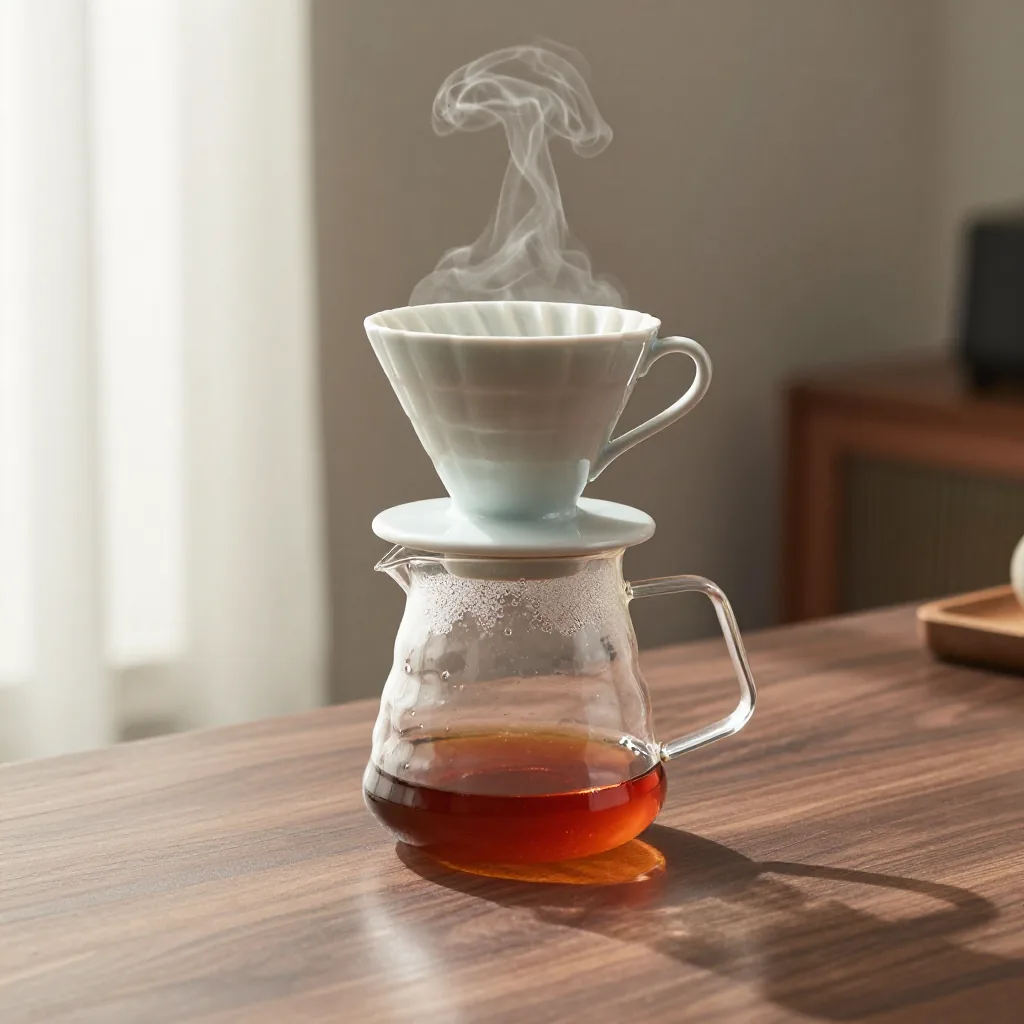
z-image-turbo, prompt: “studio product photo of a ceramic pour-over coffee dripper on a glass carafe, on a walnut counter, soft morning window light, a little steam rising, shallow depth of field”.Every image and video is labelled as AI-generated in its metadata (IPTC Digital Source Type trainedAlgorithmicMedia, made with Inclavate), and the label says nothing about the prompt, the model or the machine. It is not signed: anyone can remove it, and many sites strip it on upload.
Starting from an image
Upload the image as an artifact, then name it in the request:
IMG=$(curl -s -X POST http://localhost:8001/v1/artifacts \
  -H 'Content-Type: image/png' --data-binary @fox.png | jq -r .id)

curl -X POST http://localhost:8001/v1/generations \
  -H 'Content-Type: application/json' \
  -d '{"model":"flux2-klein-4b","modality":"image",
"params":{"prompt":"an oil painting of the fox, thick brush strokes","image_artifact":"'$IMG'","strength":0.6}}'| Field | Accepted when the model's visual block has | |
|---|---|---|
image_artifact | start_image | For an image model, the image to change. For a video model, the first frame |
strength | start_image, image models only | How much of the image may change: above 0, at most 1. Default 0.75. The change grows evenly with it: around 0.6 restyles the picture and keeps its composition, and higher values recompose it (FLUX.2 Klein from about 0.75, Z-Image Turbo and Fibo 2.0 from about 0.9) |
ref_artifacts | ref_images (the most it takes) | Images to edit from, e.g. "the cat from image 1 on the sofa from image 2". FLUX 3 Klein, FLUX.2 Klein and Fibo 2.0 take up to four; Qwen-Image 2.1 and FLUX.1 Kontext dev take one and the prompt says what to change ("make the fox an arctic fox"); Wan VACE takes one subject to carry into the clip |
end_image_artifact | end_image | A video's last frame, with its first. MiniMax-H3, LTX-2.3 and LTX-2.5 take one |
fit | start_image | How the start image (and last frame) meets the requested size when its shape differs: crop, pad or stretch. Default crop |
mask_artifact | start_image, image models only | Which part of the start image changes: see Changing part of an image |
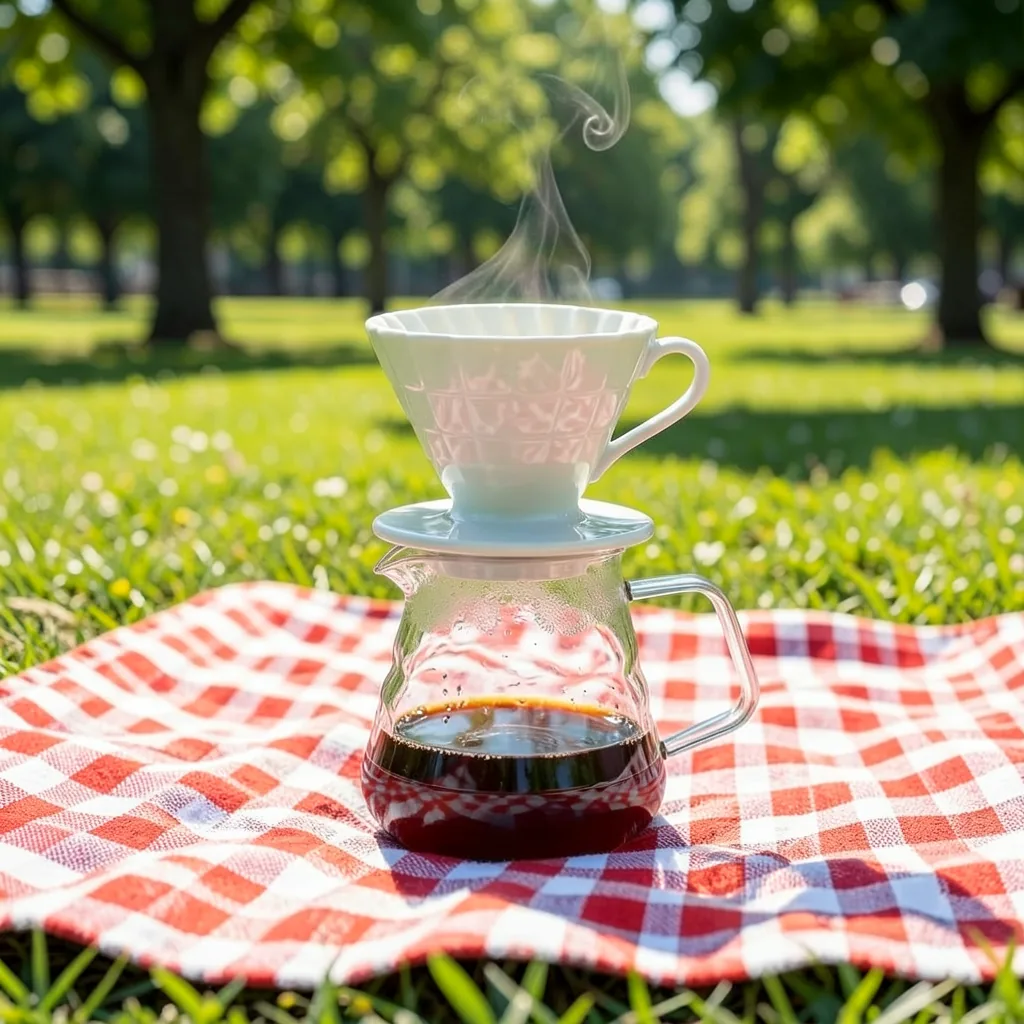
flux2-klein-4b with the photo as ref_artifacts, prompt: “the same coffee dripper and glass carafe from image 1, now on a checked picnic blanket in a sunny park, keep the products exactly the same”.Images are PNG or JPEG, up to 32 MB each, scaled to the requested size. A request can use only its own uploads and results. When an image's shape differs from the requested size, fit decides what happens:
fit | The image |
|---|---|
crop (default) | Fills the frame. What overhangs is cut off, keeping the centre |
pad | Is kept whole and centred, with black bars filling the rest. At the default strength the bars stay black |
stretch | Is kept whole and reshaped to the frame, so its subject looks squashed or widened |
Reference images are not affected: each model sizes them itself.
An input the model would ignore is refused: a start image to a model that takes none, strength on a video, fit or a mask without a start image, too many references, or a last frame without a first.
For a video's first and last frames, see Video.
Changing part of an image
With a start image and a mask, only the masked part changes (inpainting): the prompt says what goes there, and everything else stays as it is.
MASK=$(curl -s -X POST http://localhost:8001/v1/artifacts \
  -H 'Content-Type: image/png' --data-binary @mask.png | jq -r .id)

curl -X POST http://localhost:8001/v1/generations \
  -H 'Content-Type: application/json' \
  -d '{"model":"z-image-turbo","modality":"image",
       "params":{"prompt":"a red fox wearing a knitted green scarf, sitting in snow",
"image_artifact":"'$IMG'","mask_artifact":"'$MASK'"}}'- The mask is a PNG or JPEG the start image's size: white where it changes, black where it is kept. Grey counts as white above half. It is fitted to the requested size as the start image is (
fit). - Ask for the start image's size to keep its own pixels outside the mask; the edge of the change fades over a few pixels. At another size the whole image is redrawn, and the kept part only resembles the original. The dashboard does this for you, scaling a large start image to about the model's native size first.
strengthdefaults to 1 with a mask: the masked part is drawn anew. Lower keeps some of what was there, for changing a colour, say.- Describe the whole picture in the prompt as it should look, the change included, rather than only the change.
- Adding or changing something works best, on Z-Image Turbo, FLUX.2 Klein and Qwen-Image 2.1 most of all. Removing a large subject is harder: paint just the subject and a little around it.
In the dashboard, add a start image, then Mask opens a painter: brush and eraser (B and E), size ([ and ]), undo (⌘Z) and redo (⇧⌘Z).
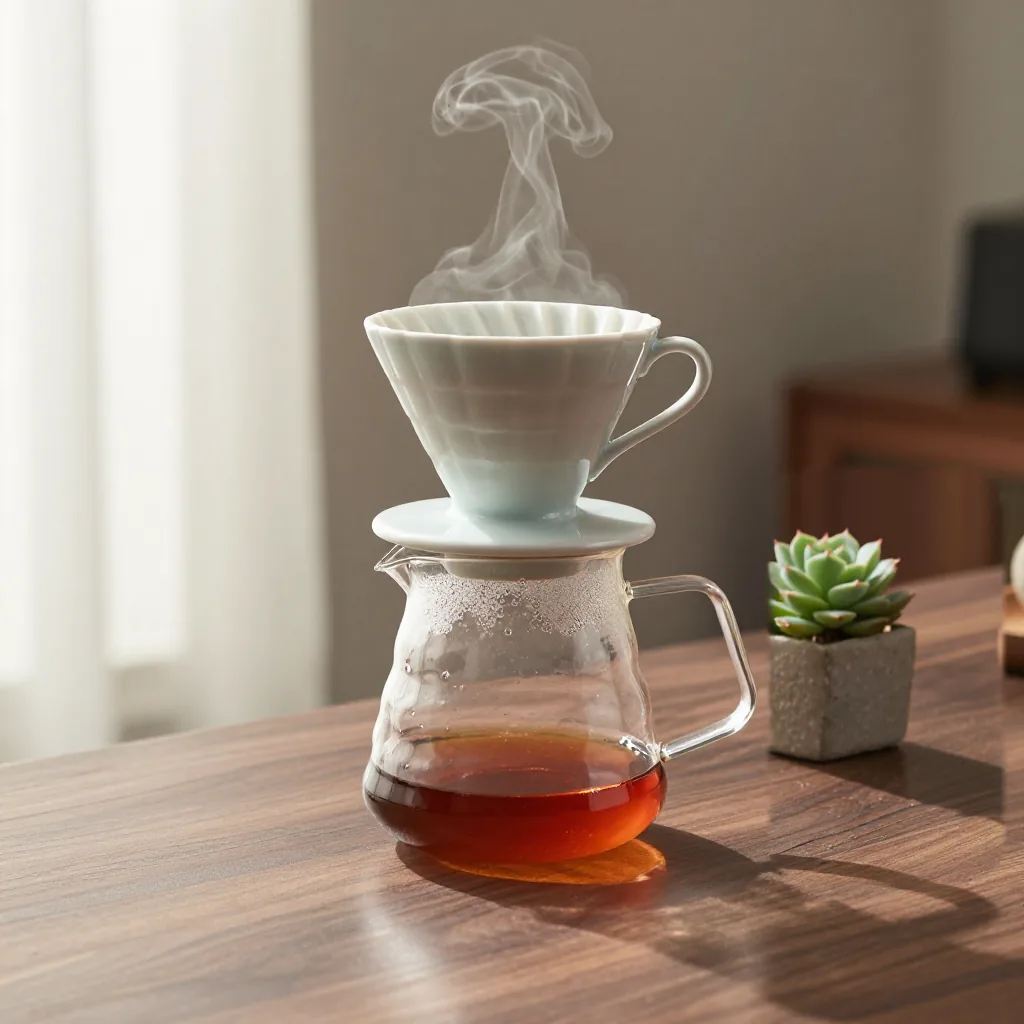
z-image-turbo, the mask over the counter to the right of the carafe, prompt: “studio product photo of a ceramic pour-over coffee dripper on a glass carafe, on a walnut counter, a small potted succulent beside it, soft morning window light, shallow depth of field”.Upscaling
realesrgan-x4plus enlarges an image two or four times, sharpening detail rather than blurring it. Give it any image, a result or an upload:
curl -X POST http://localhost:8001/v1/generations \
  -H 'Content-Type: application/json' \
  -d '{"model":"realesrgan-x4plus","modality":"image",
"params":{"image_artifact":"'$IMG'","scale":2}}'| Field | |
|---|---|
image_artifact | The image to enlarge, PNG or JPEG. Required |
scale | 2 (default) or 4 |
The result is a PNG, at most 8192 pixels on a side; a larger one is refused. Nothing else is taken: a prompt, a size or steps is refused.
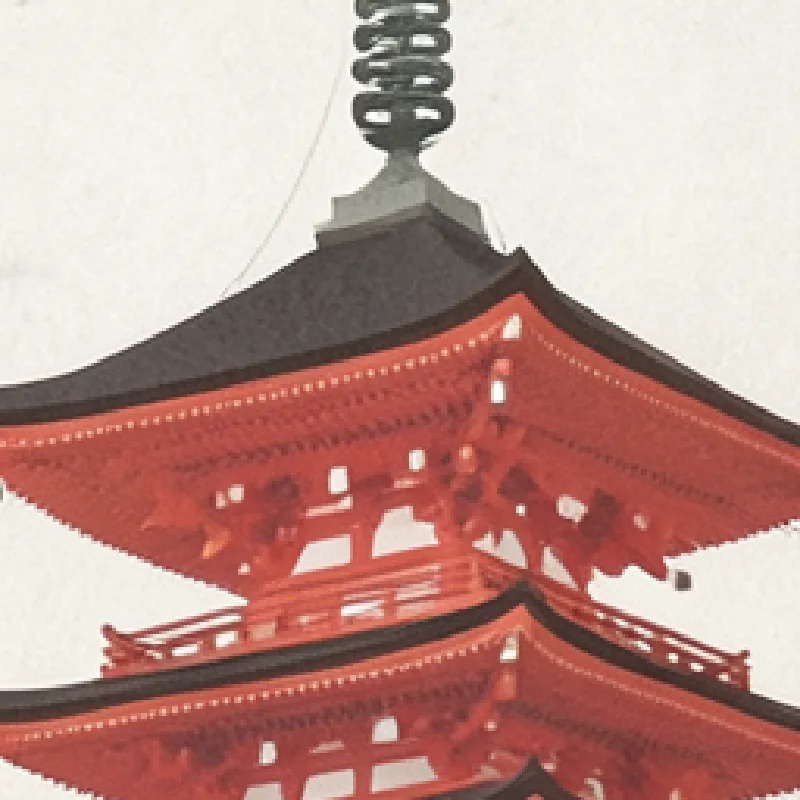
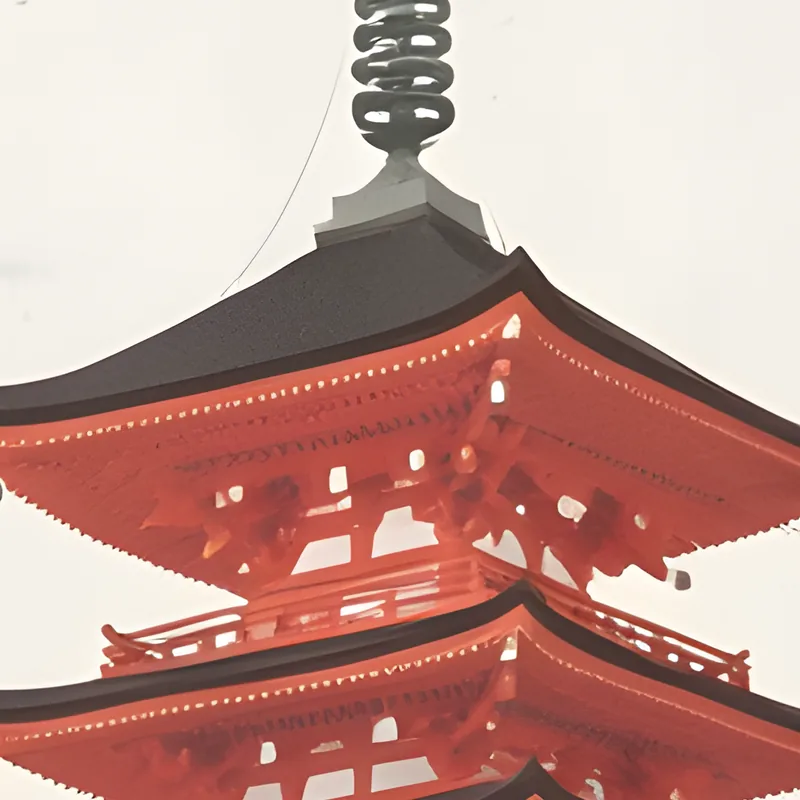
realesrgan-x4plus at scale 4.From an OpenAI client
POST /v1/images/generations and POST /v1/images/edits take OpenAI's requests and answer as OpenAI does (API). In Open WebUI: Admin Panel → Settings → Images, engine Default (Open AI), base URL http://<this machine>:8001/v1, any API key, and an installed image model's id (z-image-turbo, say) as the model.