
Video
Each model makes either images or video, and the model you name decides which. This page covers clips; Images covers pictures, and Image and video settings every parameter both take, with their limits.
Available video models
| Model | Makes | Takes | Size | Licence |
|---|
Makes is the native size and default length, with the step count a job uses unless asked otherwise; fixed marks a model whose schedule cannot be changed (see Locked models). A video model installs as an image model does: see Getting an image or video model.
Generating a video
curl -X POST http://localhost:8001/v1/generations \
  -H 'Content-Type: application/json' \
  -d '{"model":"wan2.2-ti2v-5b-turbo","modality":"video",
       "params":{"prompt":"a red fox trotting through fresh snow, low sun","frames":49}}'
The result is an MP4. Made on a Mac it is H.264, which every player opens; made elsewhere it is VP9, which browsers play but QuickTime and iPhone do not. frames sets the length; fps defaults to the model's own (24 for Wan 2.2 TI2V, so 49 frames are two seconds).
- Wan makes 4n+1 frames (33, 49, 81, 121) and rounds any other count down. Wan 2.2 A14B, Wan VACE (2.1 and 2.2 VACE-Fun) and Wan 2.2 S2V make each clip in one go, up to the 81 frames (5 s at 16 fps) they were trained on, and refuse a longer one.
- MiniMax-H3 makes 17k+5 frames (22, 39, 56, 73…) and refuses any other count. The model's settings list them as
frame_stepandmin_frames. - LTX-2.3 and LTX-2.5 make 8n+1 frames (9, 17, 25 …) and refuse any other count, and their width and height are multiples of 64. They make each video in one go and cannot extend one. The dashboard offers them up to 5 s (121 frames).
Write a full prompt: a few sentences on how the scene looks, what happens in it and what is heard give the best result.
wan2.2-ti2v-5b-turbo, prompt: “a paper boat drifting down a rain-filled street gutter at golden hour, ripples and warm reflections, cinematic slow motion”.A video can carry sound, and takes minutes — see What to expect.
From a first frame
Upload the image as an artifact, then name it as the first frame:
IMG=$(curl -s -X POST http://localhost:8001/v1/artifacts \
  -H 'Content-Type: image/png' --data-binary @fox.png | jq -r .id)

curl -X POST http://localhost:8001/v1/generations \
  -H 'Content-Type: application/json' \
  -d '{"model":"wan2.2-ti2v-5b-turbo","modality":"video",
       "params":{"prompt":"the fox turns and runs into the trees","image_artifact":"'$IMG'"}}'
First and last frames. MiniMax-H3, LTX-2.3 and LTX-2.5 take a first frame, a first and a last, or neither. Give them two frames from the same camera, with poses close enough to cover in the clip's length and an end pose that can be held; frames from different viewpoints make the camera jump between them. The Wan models take no last frame. To continue a video, see Longer videos.
image_artifact, end_image_artifact and fit are described with the other inputs in Starting from an image.
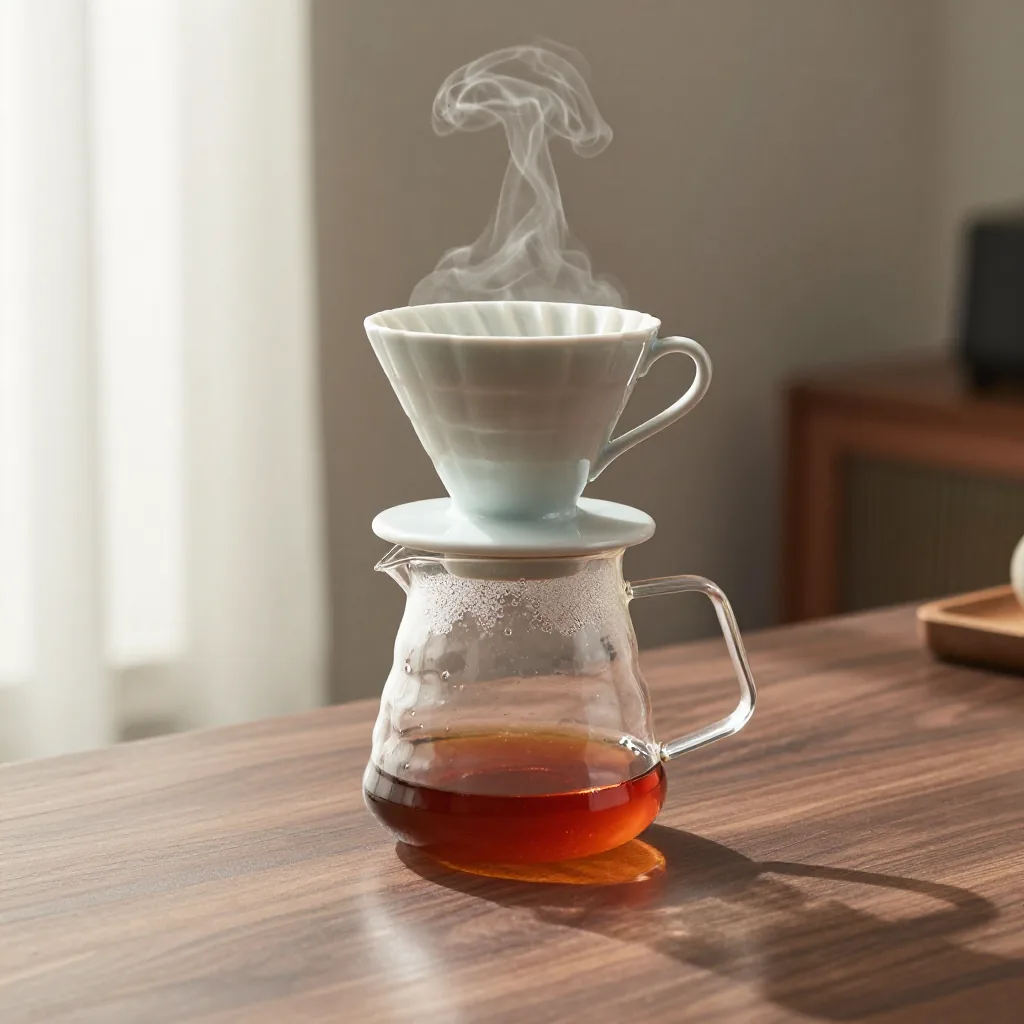
wan2.2-ti2v-5b-turbo from a first frame, 832×480 and 49 frames, prompt: “slow push-in on the coffee dripper, steam curling up from the carafe, soft morning light”.Longer videos
Wan 2.2 TI2V (both rows) and MiniMax-H3 make videos longer than they make at once: ask for the length with frames, up to DPPAN_VISUAL_MAX_FRAMES (481 by default, 20 s at 24 fps), and the video is made in parts of up to about five seconds, joined into one MP4. Each part takes as long as a clip of that length. 241 frames at 24 fps is ten seconds:
curl -X POST http://localhost:8001/v1/generations \
  -H 'Content-Type: application/json' \
  -d '{"model":"wan2.2-ti2v-5b-turbo","modality":"video",
       "params":{"prompt":"a red fox trotting steadily through fresh snow","frames":241}}'
Each part continues from where the one before ended, not toward where the video is headed, so prompts about steady action work best: a subject that drifts keeps drifting.
Extend makes a video you generated longer. Send it as extend_artifact, with frames as how many frames to add (the model's default length if left out), and its own width and height. The result is the whole video: the original, then what was added, with the original's sound kept. MiniMax-H3 can end it on a last frame (end_image_artifact).
curl -X POST http://localhost:8001/v1/generations \
  -H 'Content-Type: application/json' \
  -d '{"model":"wan2.2-ti2v-5b-turbo","modality":"video",
       "params":{"prompt":"a red fox trotting steadily through fresh snow",
                 "extend_artifact":"'$VIDEO'","frames":120,"width":1280,"height":704}}'
VIDEO is the video's artifact id: its job's output_artifacts[0].
A prompt per part. prompts gives each part its own, in order, the last carrying on for any after; prompts[0] is the first part's, so prompt can be left out.
Keeping the look. Each part is held close to the first part's brightness, contrast and colour (for Extend, the original's), so a long video does not drift darker or harsher. color_match sets how strongly, 0 to 1: the default is 1, and 0 turns it off. When the prompts ask for a change in light across parts, such as a sunset, lower it (0.3 lets most of the change through).
Through keyframes. MiniMax-H3 can make a video that passes through images you choose, each part ending on the next one, so the video cannot drift. Send them as keyframe_artifacts, in order; the video ends on the last. keyframe_spacing is the frames from each to the next: 4, 21, 38 and on by 17 up to 106, and 38 (1.6 seconds) if left out. The length is 1 + keyframes × spacing, so leave out frames and end_image_artifact:
curl -X POST http://localhost:8001/v1/generations \
  -H 'Content-Type: application/json' \
  -d '{"model":"minimax-h3","modality":"video",
       "params":{"prompt":"a red fox trotting through fresh snow",
                 "image_artifact":"'$FIRST'","keyframe_artifacts":["'$KEY'","'$LAST'"]}}'
That is 77 frames, two parts of 1.6 seconds. With extend_artifact in place of a first frame, the first part starts from the video's end, and prompts gives each part its own. Give keyframes from the same camera, with poses close enough to cover in the spacing.
Sound
A video's sound is in the same MP4 file. It comes from one of two places.
The model's own. A model that makes sound with its video — MiniMax-H3, LTX-2.3 and LTX-2.5 — says "audio": true in its visual block, and keeps its sound unless a request sends "audio": false.
A soundtrack you attach, to any video model: name an audio artifact as audio_artifact — a WAV, MP3 or FLAC file you uploaded, or the result of a speech or music job. It replaces the model's own sound, and is cut to the clip's length or padded with silence. With Extend, it plays under the frames added, after the original's own sound.
# Narration, then a clip that carries it.
SPEECH=$(curl -s -X POST http://localhost:8001/v1/generations \
  -H 'Content-Type: application/json' \
  -d '{"model":"qwen3-tts","modality":"audio","params":{"text":"The tide comes in at dusk."}}' | jq -r .id)

# Once that job has completed:
WAV=$(curl -s http://localhost:8001/v1/generations/$SPEECH | jq -r '.output_artifacts[0]')

curl -X POST http://localhost:8001/v1/generations \
  -H 'Content-Type: application/json' \
  -d '{"model":"wan2.2-ti2v-5b-turbo","modality":"video",
"params":{"prompt":"a lighthouse at dusk, waves breaking below","audio_artifact":"'$WAV'"}}'| Field | |
|---|---|
audio | false leaves a model's own sound out. Refused on an image model, and true on a silent model with no audio_artifact |
audio_artifact | An audio artifact to use as the soundtrack: WAV, MP3 or FLAC, up to 64 MB. Video only, and not with "audio": false. For a model that speaks, the voice (below) |
Making a person speak (Wan 2.2 S2V)
Wan 2.2 S2V makes the person in a portrait say what a voice track says: their mouth moves to the words, and the voice is the clip's sound. Give it the portrait as image_artifact and the voice as audio_artifact; both are required. The prompt describes the scene and how the person moves; the words come from the voice. In the dashboard its form shows Portrait and Voice, and a recent speech result can be picked as the voice.
# The voice: a speech job's result, or a WAV, MP3 or FLAC you upload.
SPEECH=$(curl -s -X POST http://localhost:8001/v1/generations \
  -H 'Content-Type: application/json' \
  -d '{"model":"qwen3-tts","modality":"audio","params":{"text":"Fresh coffee, every morning, two doors from your office."}}' | jq -r .id)
# Once that job has completed:
VOICE=$(curl -s http://localhost:8001/v1/generations/$SPEECH | jq -r '.output_artifacts[0]')

PORTRAIT=$(curl -s -X POST http://localhost:8001/v1/artifacts \
  -H 'Content-Type: image/png' --data-binary @portrait.png | jq -r .id)

curl -X POST http://localhost:8001/v1/generations \
  -H 'Content-Type: application/json' \
  -d '{"model":"wan2.2-s2v-14b-fast","modality":"video",
       "params":{"prompt":"a barista talks to the camera in a sunlit cafe, smiling",
                 "image_artifact":"'$PORTRAIT'","audio_artifact":"'$VOICE'",
"frames":69}}'- One clip speaks up to 81 frames, about 5 seconds at the model's 16 fps. A longer voice is cut at the clip's end and a shorter one padded with silence, so choose
framesto match it: about 16 per second of voice. The line above runs about 4.3 seconds, hence 69. For a longer talk, make one clip per part of the voice. - The portrait sets the person and the framing, and is fitted to the clip's size as a first frame is (
fit). - No last frame and no Extend.
wan2.2-s2v-14b-fast, used above, is the same model with a 4-step distillation LoRA: far quicker, with its steps and guidance fixed (see Locked models).wan2.2-s2v-14btakes them as you set them.
Following a video (Wan VACE)
The Wan VACE models (Wan 2.1 VACE 1.3B and 14B, and Wan 2.2 VACE-Fun A14B) make a new clip that follows one you give: the motion carries over, and the prompt decides how it looks. Give it a fox walking across snow and ask for "a black panther on a beach at sunset" to get a panther on a beach in the fox's stride.
CLIP=$(curl -s -X POST http://localhost:8001/v1/artifacts \
  -H 'Content-Type: video/webm' --data-binary @fox.webm | jq -r .id)

curl -X POST http://localhost:8001/v1/generations \
  -H 'Content-Type: application/json' \
  -d '{"model":"wan2.1-vace-1.3b-fast","modality":"video",
       "params":{"prompt":"a black panther walks along a beach at sunset, side view",
                 "control_artifact":"'$CLIP'","control":"depth"}}'
control says what of the video the clip keeps:
control | It keeps | The prompt can change |
|---|---|---|
depth (default) | the motion and the silhouette | what the subject looks like, and the scene |
canny | the motion, outlines and inner edges | material and scene |
grey | everything but colour | the colour: it colourises |
plain | shape and layout | colour and light: it relights |
control_strength (above 0, at most 2, default 1) sets how closely it follows. Depth keeps the source's outline, so a panther following a fox keeps the fox's tail. Add a ref_artifacts image to carry that subject into the clip too.
The video must be one dppan made, or a WebM with every frame a VP8 keyframe, up to 256 MB. A result can be followed as it is (the dashboard's Restyle); the dashboard converts other videos before upload. From the API, convert with ffmpeg -i in.mp4 -c:v libvpx -g 1 -an control.webm.
The clip keeps the source's timing, and past the source's end it follows only the prompt.