
Quickstart
From nothing to a chat and a picture on one machine. Everything runs on your own hardware.
1. Install
curl -fsSL https://dl.inclavate.io/install.sh | shirm https://dl.inclavate.io/install.ps1 | iexOpen a new terminal, then check it worked with dppan --version. Other ways to install, and what the installer changes: Installation.
2. Start the orchestrator
The orchestrator takes every request and sends the work to the machines that do it. In one terminal:
dppan-orchestrator --port 8001 --admin-token mysecret--admin-token turns on the dashboard's Admin tab; use your own value.
What a launch looks like
Each process greets you with the Inclavate banner — version, platform, where it's listening, and quick links. Starting dppan-orchestrator --port 8001:
     ◆   ██╗███╗   ██╗ ██████╗██╗      █████╗ ██╗   ██╗ █████╗ ████████╗███████╗
    ╱ ╲  ██║████╗  ██║██╔════╝██║     ██╔══██╗██║   ██║██╔══██╗╚══██╔══╝██╔════╝
   ◆   ◆ ██║██╔██╗ ██║██║     ██║     ███████║██║   ██║███████║   ██║   █████╗
    ╲ ╱  ██║██║╚██╗██║██║     ██║     ██╔══██║╚██╗ ██╔╝██╔══██║   ██║   ██╔══╝
     ◆   ██║██║ ╚████║╚██████╗███████╗██║  ██║ ╚████╔╝ ██║  ██║   ██║   ███████╗
         ╚═╝╚═╝  ╚═══╝ ╚═════╝╚══════╝╚═╝  ╚═╝  ╚═══╝  ╚═╝  ╚═╝   ╚═╝   ╚══════╝
  Run AI privately, across your own devices  ·  Distributed LLM Inference

  orchestrator · routes inference across nodes
  version    0.8.5
  platform   macos-arm64
  system     8 cores
  listen     0.0.0.0:8001
  gateway    0.0.0.0:9001
  mode       local
  database   none

  Docs docs.inclavate.io · Site inclavate.io · Feedback [email protected] · Follow @inclavateai
  © 2026 Inclavate · Free to run · Proprietary
  Legal inclavate.io/privacy · /terms · /acceptable-use · /data-retention
The banner shows only in an interactive terminal — piped output, daemons (systemd/Docker), and CI stay clean. Turn it off anywhere with --no-banner or INCLAVATE_NO_BANNER=1.
3. Add a chat model
A node runs the model. In a second terminal, download a small one and join it to the orchestrator:
dppan pull llama3.2:1b
dppan join --orchestrator http://localhost:8001 --model llama3.2:1b \
  --gguf ~/.dppan/models/llama3.2-1b-full.gguf
4. Chat
curl -X POST http://localhost:8001/v1/chat/completions \
  -H "Content-Type: application/json" \
  -d '{"model":"llama3.2:1b","messages":[{"role":"user","content":"Hello!"}],"max_tokens":200}'
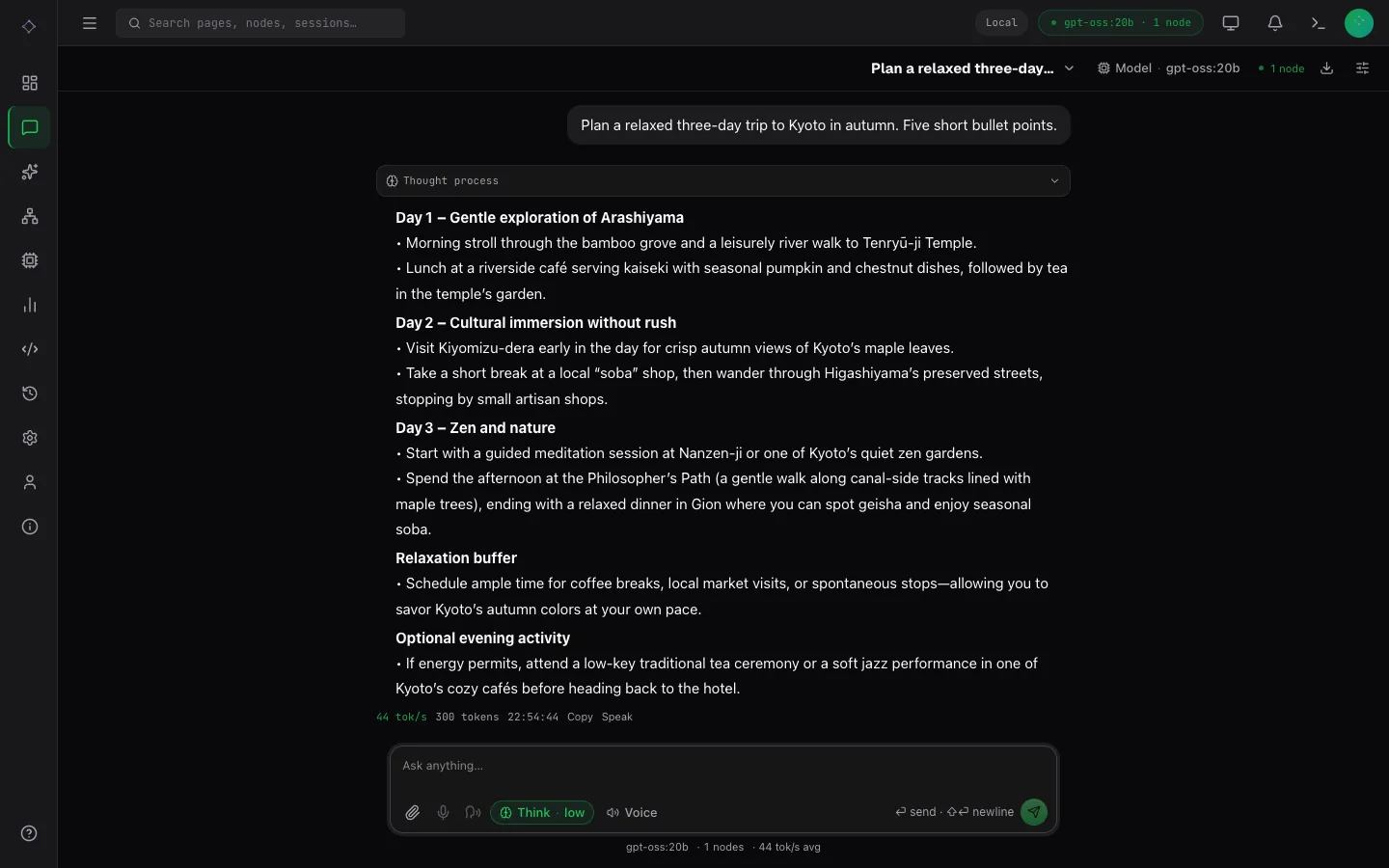
Or start the dashboard in a third terminal and open http://localhost:3000:
dppan ui --orchestrator http://localhost:8001 --port 3000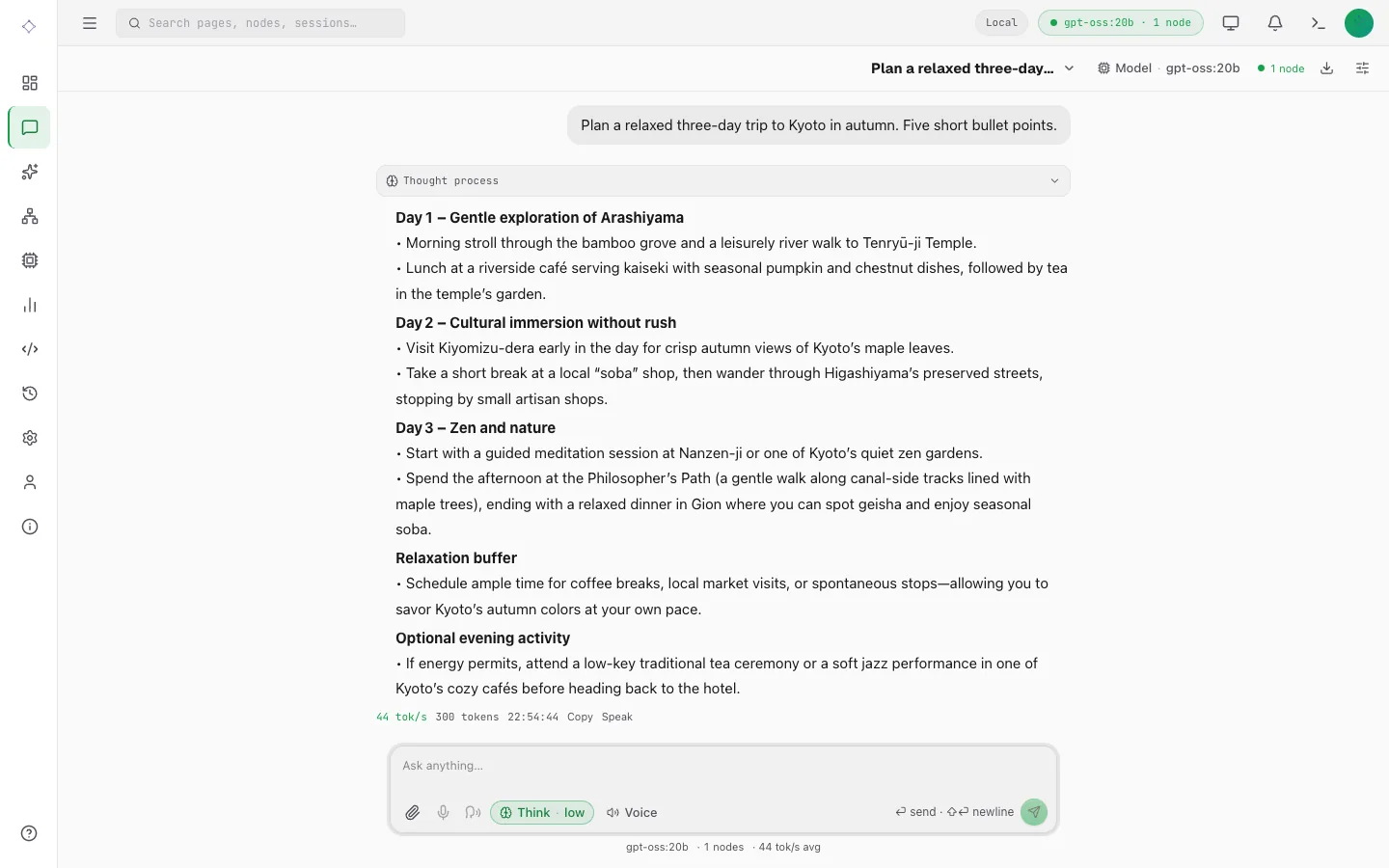
5. Make an image
Install an image model (about 6.5 GB), then restart the orchestrator: it serves the models installed when it starts.
dppan pull --visual z-image-turboStop the orchestrator with Ctrl-C and start it again with the command from step 2. Then ask for a picture:
curl -X POST http://localhost:8001/v1/generations \
  -H 'Content-Type: application/json' \
  -d '{"model":"z-image-turbo","modality":"image","seed":42,
       "params":{"prompt":"a paper crane on a windowsill, morning light"}}'
The answer is a job. Poll GET /v1/generations/<id> until its state is completed, then download output_artifacts[0] from /v1/artifacts/<artifact id>: a PNG. In the dashboard, the same is on Generate › Image.
Next
- More machines: Multi-machine setup, and Sharded download for models bigger than one machine.
- More to make: Chat, Speech and voice, Music, Images and Video.
- How it fits together: How Inclavate works.
- Look things up: CLI, Configuration and the REST API.